Unrepostify: Remove All Reposts on TikTok
TikTok repost remover extension | Remove all reposts TikTok
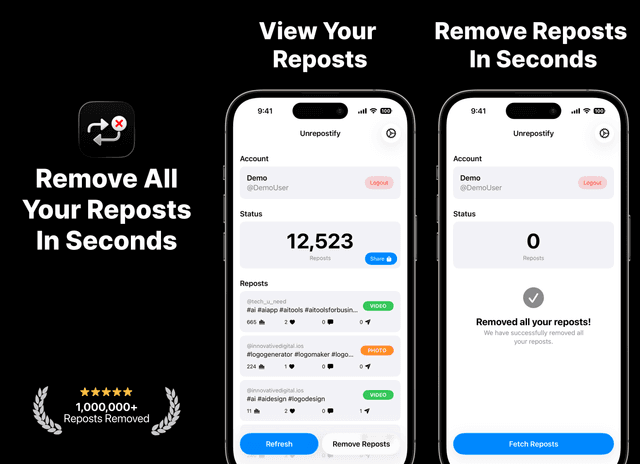
How to remove all tiktok reposts? Just use Unrepostify. Unrepostify is a simple and secure tool that lets you remove all your TikTok reposts at once. Clean up your profile instantly without manual effort and keep your account organized.




Apps you may like
Key Features
Remove All Reposts at Once
Unrepostify allows you to remove all your TikTok reposts in a single tap, saving you time and effort.
Easy to Use
Simply log in with your TikTok account and let Unrepostify do the rest.
Secure and Private
Your data is never shared or sold. Unrepostify only accesses your TikTok account to remove reposts.
A ClearTok Alternative on Every Device
Looking for a ClearTok alternative? Unrepostify works on iPhone, Android and as a Chrome extension, so you can remove your TikTok reposts from your phone or your computer.
A RepostZap Alternative on Every Device
Looking for a RepostZap alternative? Unrepostify works on iPhone, Android and as a Chrome extension, so you can remove your TikTok reposts from your phone or your computer.
Compare Unrepostify with RepostZap and ClearTok
Weighing Unrepostify against RepostZap, ClearTok or another TikTok repost remover? These guides compare platforms, pricing, and safety.
RepostZap Alternatives: 5 Best Ways to Bulk Remove TikTok Reposts (2026)
Looking for a RepostZap alternative? These are the best ways to bulk-remove TikTok reposts in 2026, compared on platforms, pricing, and control.
RepostZap vs Unrepostify: Which TikTok Repost Remover Is Better in 2026?
Comparing RepostZap and Unrepostify for bulk-removing TikTok reposts: features, platforms, pricing, and which one fits your situation.
How to Remove All Reposts on TikTok in 2026 (The Fast Way)
TikTok still has no built-in way to bulk remove all your reposts at once. This guide walks you through every method available in 2026 — including the fastest option, Unrepostify — so you can clean up your profile on iPhone or Android in seconds.
TikTok Repost Remover in 2026: The Fastest Way to Remove All Your Reposts
Searches for a TikTok repost remover are up 140% in 2026 — and for good reason. TikTok still has no built-in tool to remove all your reposts at once. This guide covers every method available right now, including the best mobile-first option for iPhone and Android users: Unrepostify.
TikTok Repost Remover Extension: The Best Options in 2026 (Including One That Also Works on Mobile)
Looking for a TikTok repost remover extension for Chrome? This guide covers every option available in 2026 — and highlights the one tool that goes further than any extension by also working natively on iPhone and Android: Unrepostify.
Best TikTok Repost Remover in 2026: Why Unrepostify Is the Top Choice
Removing reposts on TikTok can be surprisingly time-consuming. TikTok still does not offer a native way to bulk remove reposts, which is why third-party tools have become popular. In this guide, we compare the best TikTok repost removal tools available today and explain why Unrepostify stands out as the best overall option.
ClearTok Explained: How to Remove TikTok Reposts the Easy Way
Looking for ClearTok? Learn what ClearTok does, its limitations, and how to remove TikTok reposts quickly and safely using Unrepostify.
Frequently Asked Questions
What is a good RepostZap alternative?
Unrepostify is an alternative that removes your TikTok reposts in bulk. It runs on iPhone, on Android through Google Play, and as a Chrome extension, so you can clean up your profile from your phone or your computer.
What is a good ClearTok alternative?
Unrepostify is an alternative that removes your TikTok reposts in bulk. It runs on iPhone, on Android through Google Play, and as a Chrome extension, so you can clean up your profile from your phone or your computer.
Is Unrepostify affiliated with RepostZap, ClearTok or TikTok?
No. Unrepostify is built by Innovative Digital Technologies and is not affiliated with RepostZap, ClearTok or TikTok.
Does TikTok have a built-in way to remove all reposts?
No. TikTok doesn't offer a native bulk option, so you either undo each repost by hand or use a tool like Unrepostify.
Does Unrepostify work on Android and in the browser?
Yes. Unrepostify is available on Google Play for Android and in the Chrome Web Store as a browser extension, as well as on the App Store for iPhone.
Is Unrepostify free?
Unrepostify is free to download on every platform. Check the store listing for current pricing and in-app options.
Related Blog Posts
Remove Reposts All at Once: Your 2026 Guide to Bulk TikTok Cleanup
Learn how to remove reposts all at once from TikTok in 2026. Compare tools, understand your options, and find the best solution for your profile cleanup needs.
ClearTok: Repost Remover — Complete Guide for 2026
Complete guide to ClearTok: Repost Remover in 2026. Learn how to use ClearTok on Chrome, iOS, and Android, plus understand the pros, cons, and best alternatives for removing TikTok reposts.
How to Remove TikTok Reposts All at Once — The Complete 2026 Guide
Learn how to remove TikTok reposts all at once in 2026. Discover the fastest methods to bulk-delete reposts on iPhone, Android, and desktop — no manual removal required.
ClearTok TikTok Repost Remover: Honest Review + The Best Alternative in 2026
ClearTok is one of the most searched TikTok repost removers in 2026 — but is it actually the best option? This honest review covers what ClearTok does well, where it falls short, and why Unrepostify is worth considering as a simpler, cross-platform alternative.
How to Delete All Reposts on TikTok in 2026 (Every Method Explained)
TikTok has no built-in delete-all button for reposts in 2026. This guide walks you through every method available — manual, Chrome extension, and the fastest option for iPhone and Android — so you can clear your repost history in minutes, not hours.
Unrepostify: Remove All Reposts on TikTok APK for Android
Many users search for “Unrepostify: Remove All Reposts on TikTok APK” when looking for the Android version. Unrepostify: Remove All Reposts on TikTok is officially available on Google Play, which is the safest way to install and receive updates.